
This article will show you how to create a survey with open-ended questions. This amazing feature gives your team the possibility to write their thoughts about a specific statement, which you will be able to see in the report later.
Navigating to the Custom Capability screen
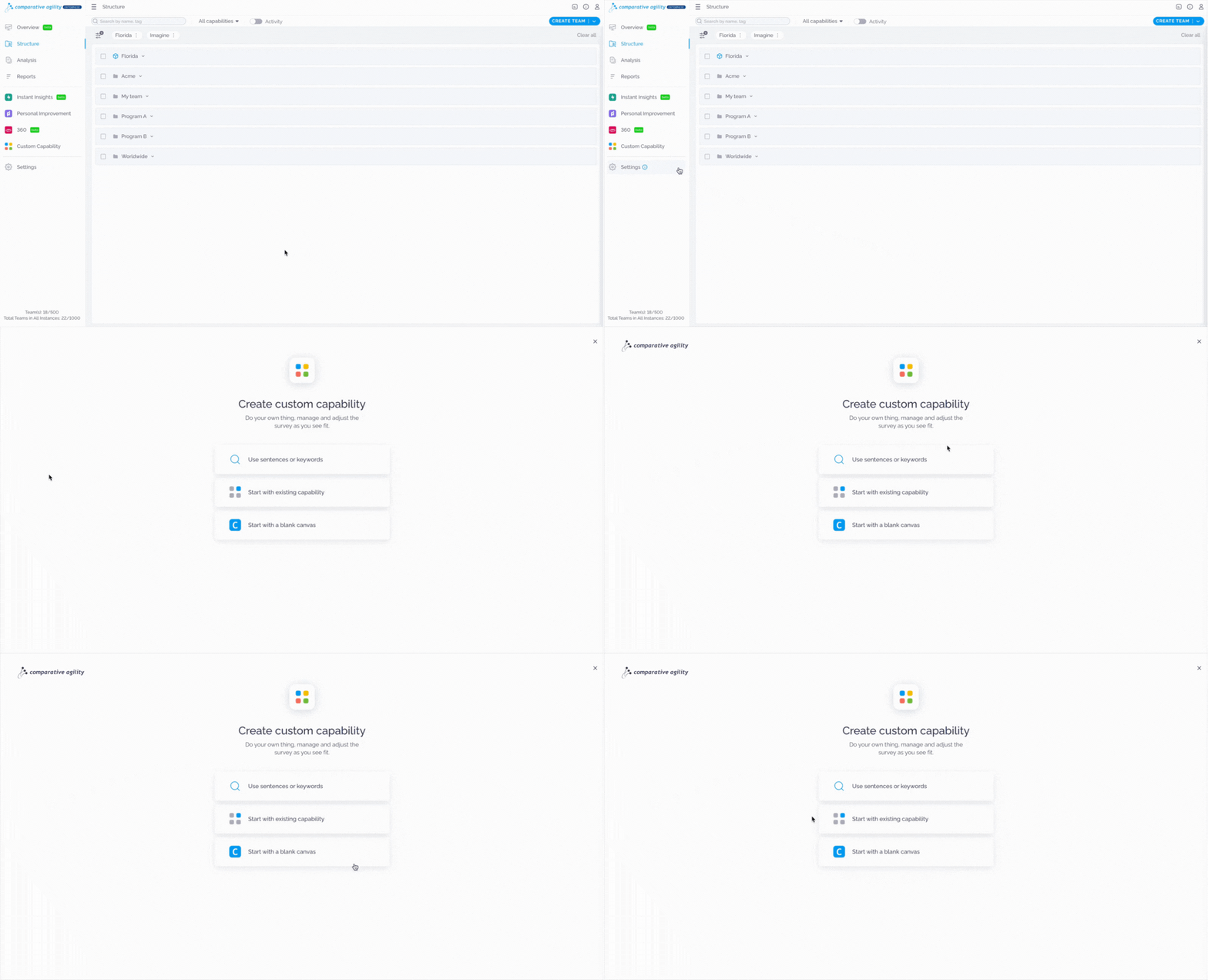
- Open the Custom Capability screen
- Choose between Start with existing capability and Start with a blank canvas
The short video below shows how to navigate to the custom capability screen
Creating open-ended questions
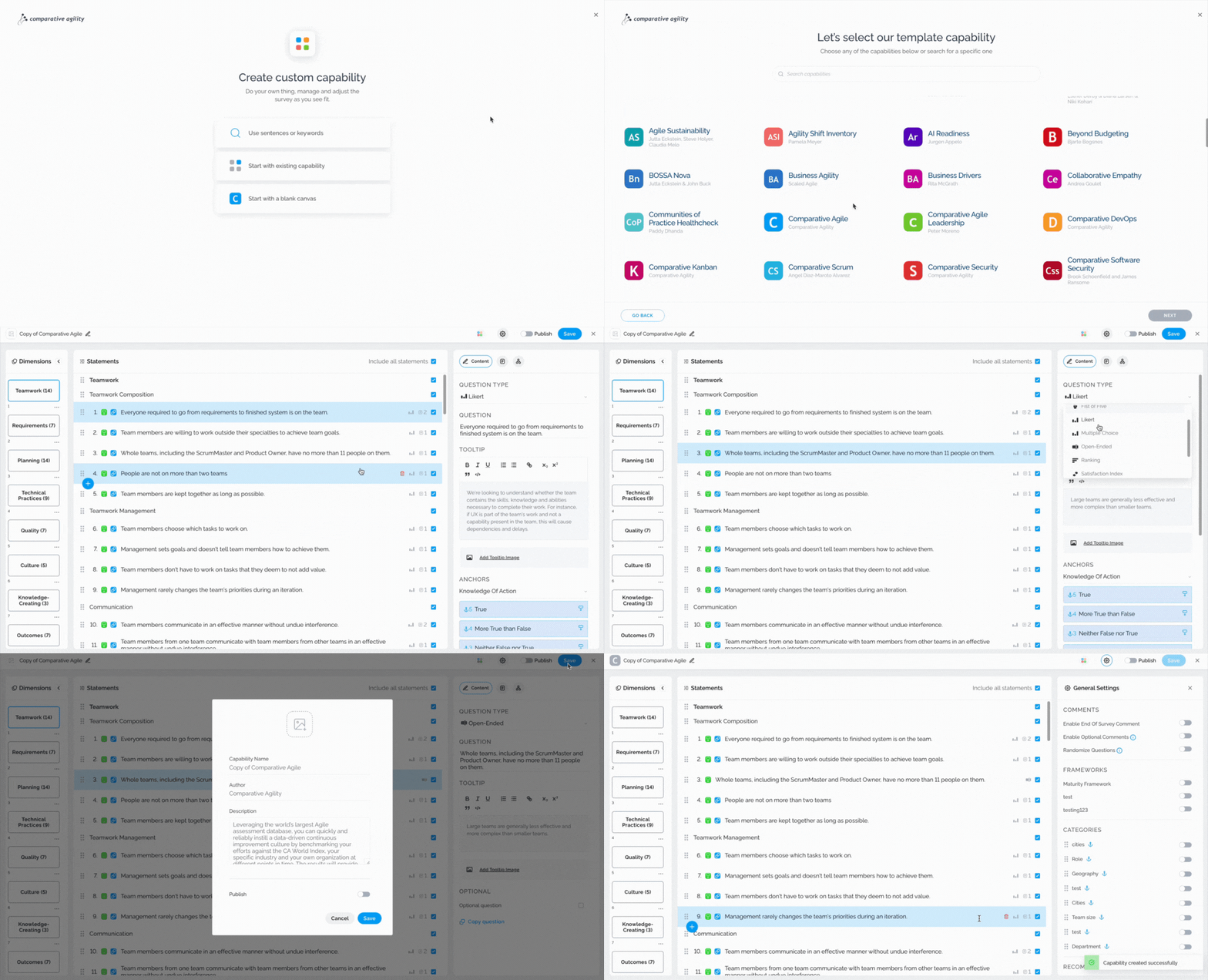
- Select the statement you would like to update
- Open the Question Type dropdown menu
- Choose the Open-Ended option
- Save
In the short video below we show you how to create open-ended questions
Note: You can choose if the open-ended question will be mandatory or optional.
The screenshot below shows you where to find the “optional” option

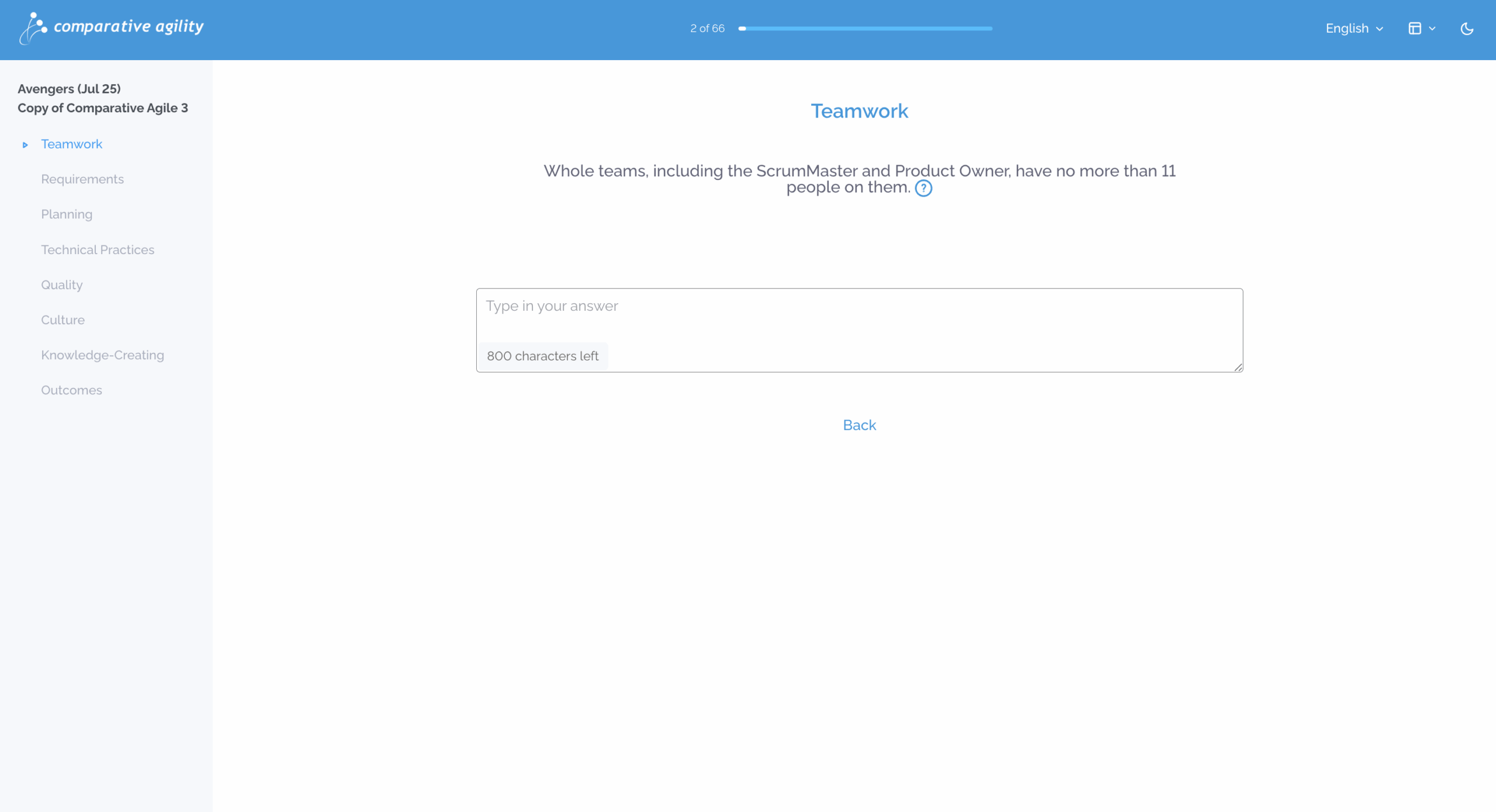
In the screenshot below we show you what open-ended questions look like to the respondents
To learn more about other amazing features to help you while creating a survey, please visit our Help Center article Creating your own Capability.
If you ever need any assistance or have any questions please reach out to our support team at support@comparativeagility.com and we will be more than happy to assist you.