
This article will guide you through the process of managing and creating recommendations within the platform. There are three types of recommendations available:
- CA-Curated Recommendations – These recommendations are generated by AI and curated by Comparative Agility experts. They provide valuable insights based on data analysis and industry best practices.
- Author Recommendations – Created and edited by experts and authors within Comparative Agility, author recommendations offer specialized insights tailored to specific assessments.
- Custom Recommendations – Users have the ability to create their own recommendations, allowing for a personalized approach to improving agility within their organization.
Navigating to the Recommendations
To access and manage recommendations, follow these steps:
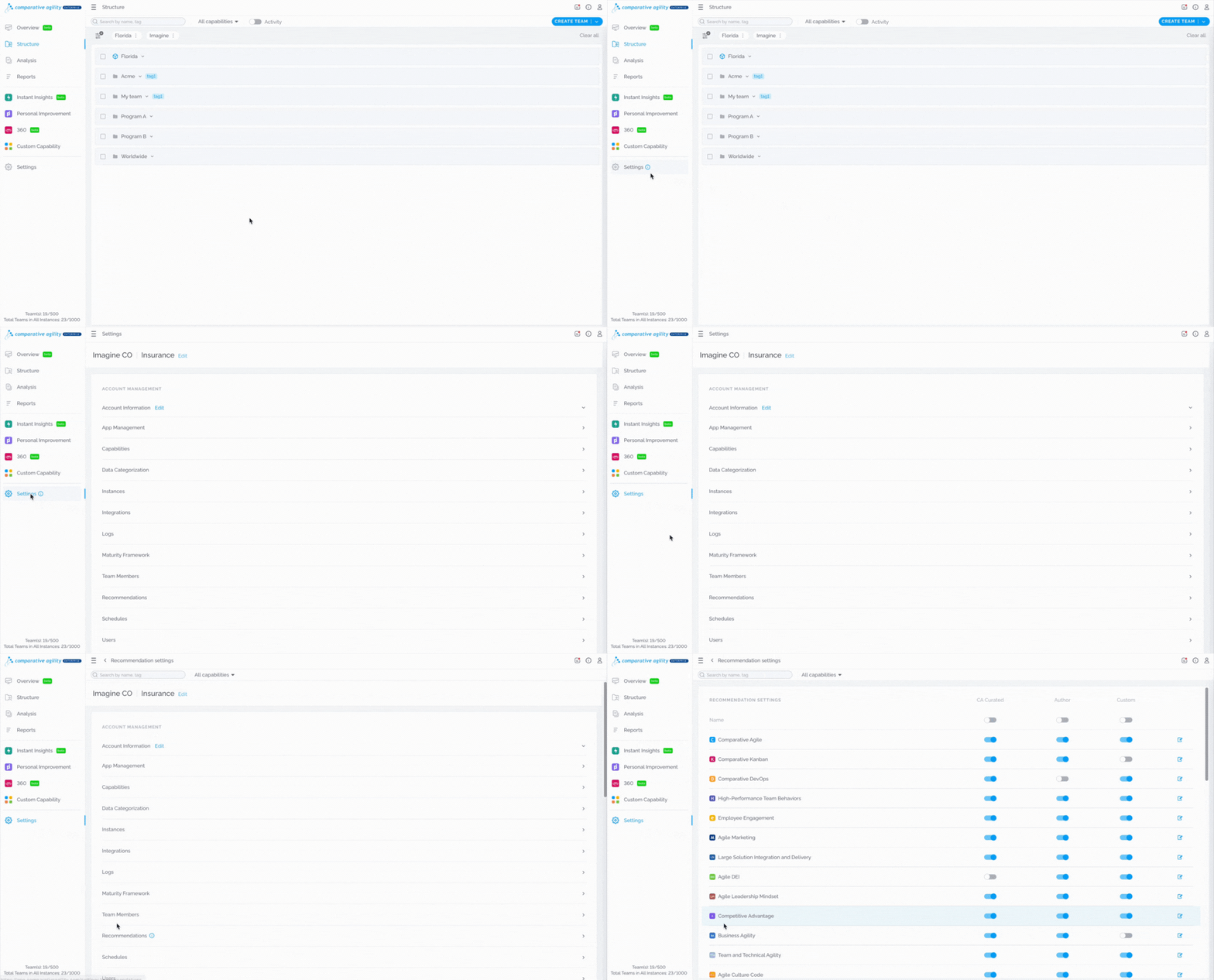
- Navigate to Settings
- Click on the Recommendations screen
The short video below shows how to navigate to the Recommendations
Enabling and Disabling Recommendations
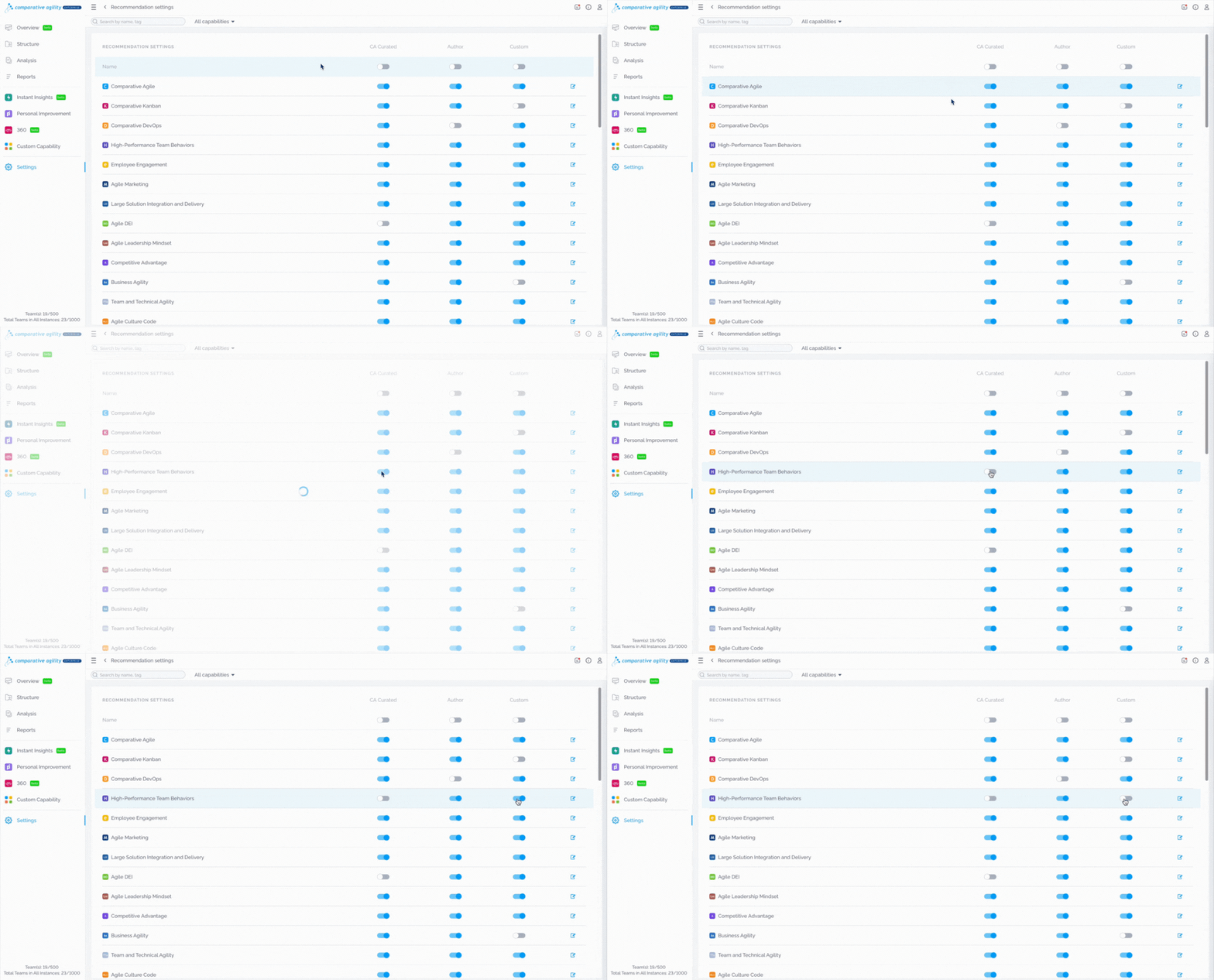
Recommendations can be enabled or disabled using the toggle switch next to each recommendation. This allows you to control which recommendations are visible to users.
In the short video below we show you how to enable or disable recommendations
Creating Custom Recommendations
To create custom recommendations, simply:
- Open the dropdown menu next to desired statement
- Click on the Add New Recommendation button
The short video below shows how to create a custom recommendation

Viewing Recommendations
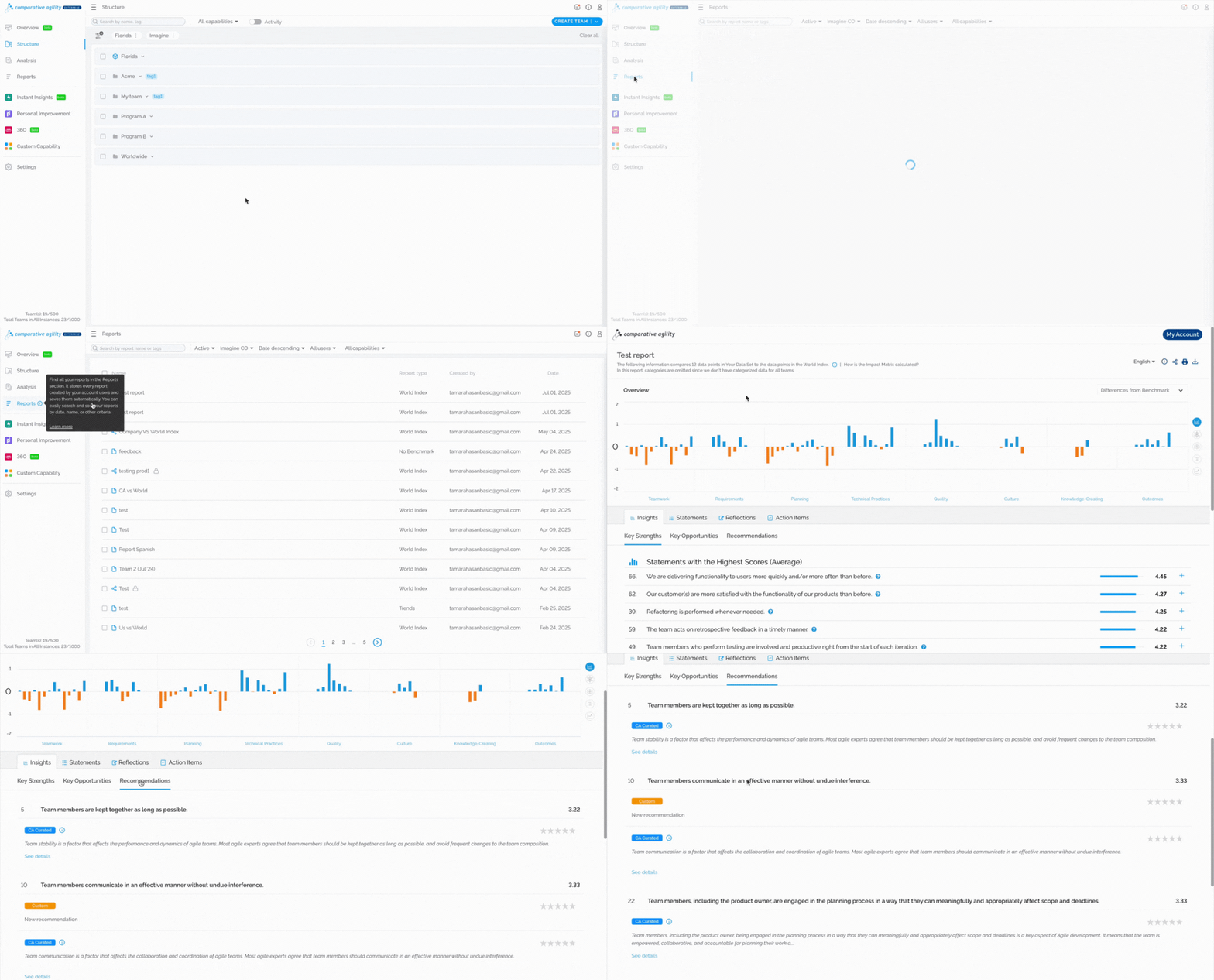
Recommendations are accessible in the Reports within Comparative Agility. They are listed based on your assessment score, starting with those whose statements have the lowest score or where improvements are needed. To access Recommendations, follow these steps:
- Create a report or open the existing one
To learn more about creating reports, please visit our Help Center article Analysis Screen.
- Scroll down to the Insights tab
- Click on the Recommendations
- All recommendations will be listed here
In the short video below we show you how to view recommendations
Note: Another option for managing and creating recommendations is through the Configure Capability Screen. To learn more, please visit our Help Center article Configure Capability.
If you ever need any assistance or have any questions please reach out to our support team at support@comparativeagility.com and we will be more than happy to assist you.