
Creating reports in Comparative Agility is now faster and more intuitive. You no longer need to navigate to the Analysis area to start a report. Instead, you can create a report directly from the Structure screen.
This workflow is designed to help you move from team selection to insight in seconds, making it easier to track performance, identify trends, and support better decision-making.
How It Works
The new report creation flow starts where your teams already live — in the Structure screen. From there, you can select the teams you want to analyze and turn them into a report without switching views.
To use this feature, the teams you select must already have completed the assessment and have responses available. This ensures that the report can be generated with meaningful, comparable data.
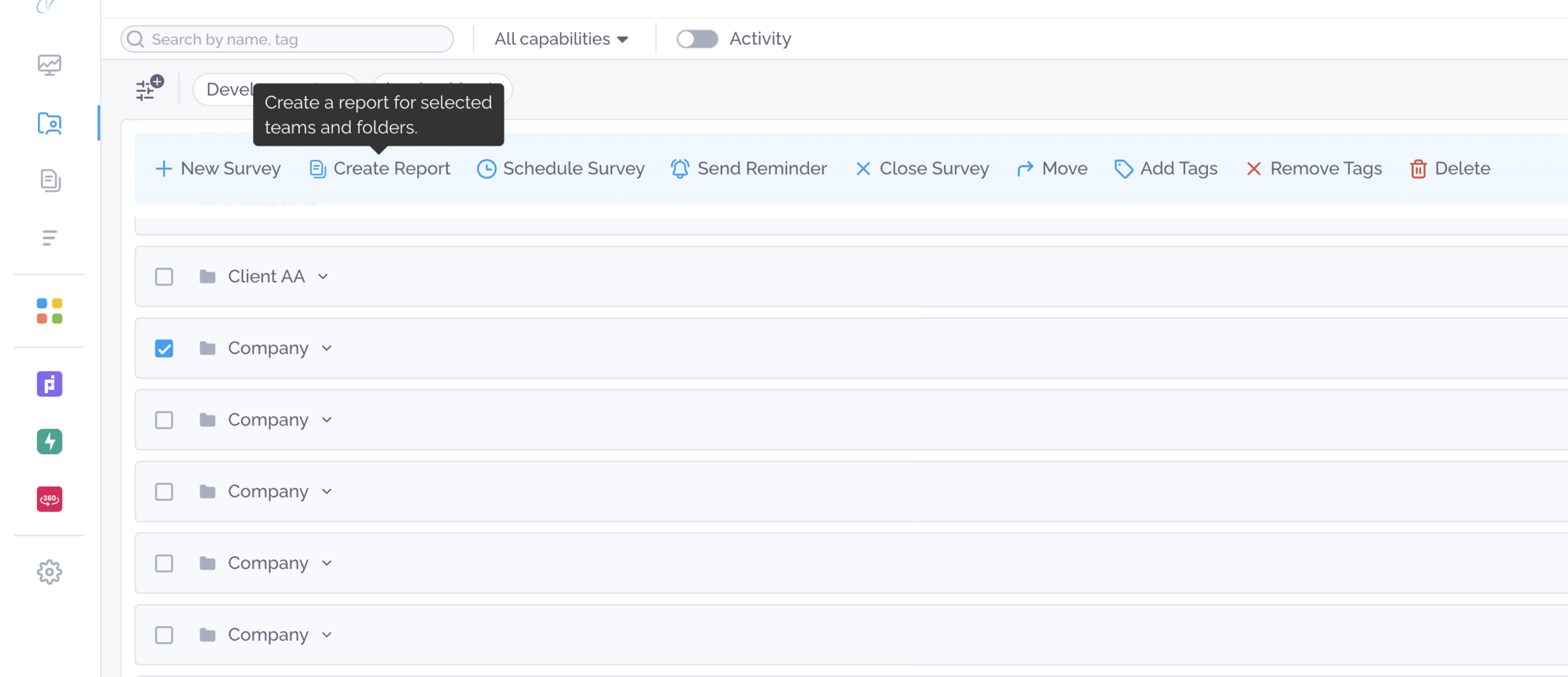
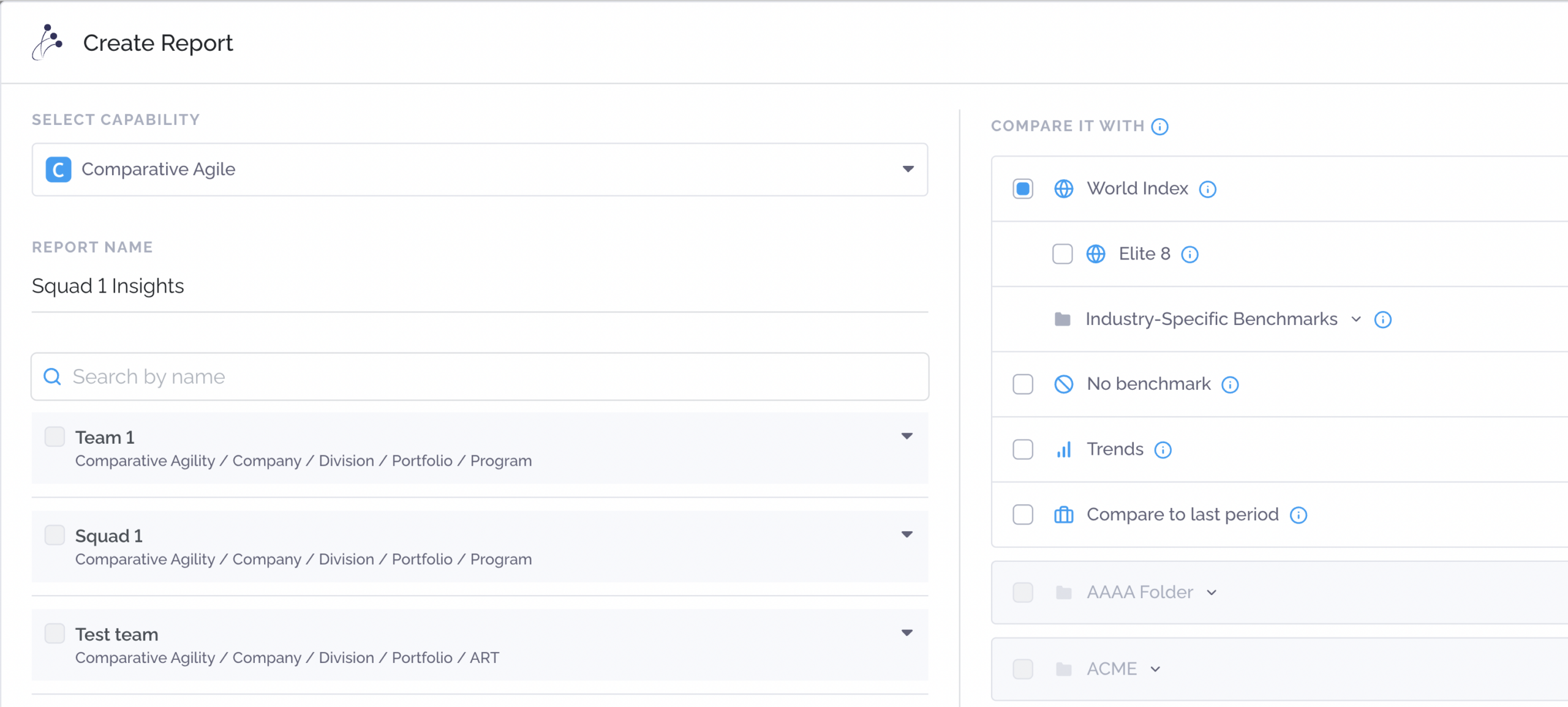
Once your teams are selected, simply click Create Report from the top action bar. You will then be guided through a short setup process.
First, choose the capability or assessment that was shared with your teams. Next, select the benchmark or comparison you want to use.
After that, give your report a name. This makes it easy to find later.
When you click Create, the report opens immediately. All charts, scores, and insights are automatically populated based on your selected teams, assessment, and benchmark.
Why This Matters
This change reduces friction, saves time, and allows you to stay focused on analysis instead of navigation. It is the fastest way to move from structure to insight in Comparative Agility.